Learn the tools, the thinking and the portfolio-building skills that creative employers look for.
Every brand you notice, from the logo on a coffee cup to the poster on a metro station wall, started with a graphic designer. As Bengaluru’s startups, agencies, e-commerce brands, real estate developers and local businesses compete for attention online and offline, the demand for people who can turn an idea into a clear, attractive visual keeps growing. If you have ever wanted to turn your creativity into a career, graphic design training with CADD Nest Academy in Bengaluru is a practical place to begin.
This guide explains what graphic design is, why it is a smart career choice, what you can expect to learn, how the training is structured, and who it is meant for.
What Is Graphic Design?
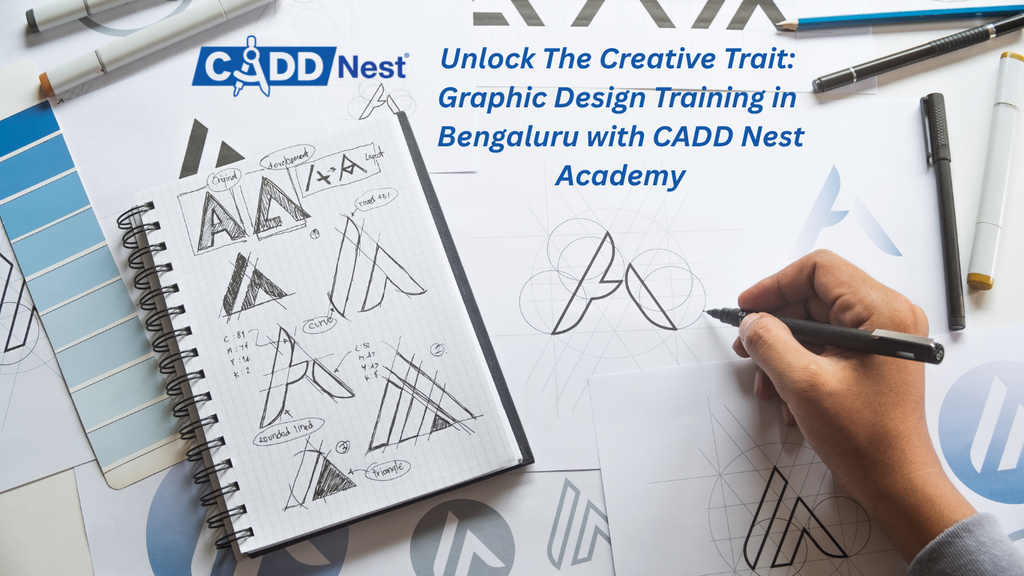
Graphic design is the craft of communicating messages visually. A designer combines typography, colour, layout, imagery and illustration to make information easy to understand and pleasant to look at. Good design is not decoration. It solves a problem: it helps a customer recognise a brand, understand an offer, trust a product or take an action.
Graphic design shows up in many places:
- Logos, brand identities and visiting cards
- Social media posts, stories, carousels and ad creatives
- Posters, flyers, brochures and hoardings
- Packaging and labels
- Website banners and basic user interface elements
- Presentations, e-books and magazine layouts
- Thumbnails, infographics and motion graphics
Because every business needs visuals, a trained designer can work in almost any industry.
Why Choose Graphic Design as a Career?
Strong demand across industries. Advertising agencies, digital marketing firms, media houses, product companies, publishers, educational institutions and retail brands all hire designers. Bengaluru, with its large startup and technology ecosystem, offers a wide range of opportunities.
Many career paths. Graphic design is a gateway skill. Once you understand layout, colour and typography, you can grow into branding, UI/UX design, motion graphics, video editing, packaging design or art direction.
Freelance and remote options. Designers can build a client base of their own, work with international clients, or combine a job with side projects. A strong portfolio matters more than a long list of certificates.
Creative satisfaction. Few careers let you see your work in the real world, on shop fronts, in feeds and on products, within days of finishing it.
Why Train with CADD Nest Academy, Bengaluru?
Self-learning from videos can teach you which button to click, but it rarely teaches you why a layout works or how to take feedback from a client. Structured, instructor-led training fills that gap. CADD Nest Academy focuses on job-oriented, hands-on learning, so the emphasis is on doing: creating, receiving feedback, refining and presenting.
Here is what a good graphic design programme at CADD Nest Academy aims to give you:
- Practical, tool-based learning on industry-standard software
- Guided practice with assignments that mirror real client briefs
- Mentorship and feedback so mistakes become lessons early
- Portfolio development so you finish with work you can show
- Career guidance covering resumes, portfolios and interview preparation
Batch timings, fees and the exact syllabus can vary, so it is best to confirm current details directly with the academy before enrolling.
What You Will Learn: The Graphic Design Curriculum
A complete programme moves from fundamentals to advanced tools and finally to professional projects. The modules below outline a typical learning path.
1. Design Fundamentals
Before opening any software, you learn the principles that make a design work:
- Elements of design: line, shape, form, texture, space and colour
- Principles of design: balance, contrast, alignment, hierarchy, repetition, proximity and white space
- Colour theory: colour wheel, harmony, psychology of colour, RGB versus CMYK
- Composition and grid systems
- Visual storytelling and reading a client brief
This foundation is what separates a designer from someone who only knows software.
2. Typography
Type carries most of the message in any design. You learn how to:
- Choose and pair fonts with confidence
- Control spacing, line height and alignment
- Build clear text hierarchy for headlines, subheads and body copy
- Understand serif, sans-serif, script and display typefaces and when to use each
- Avoid common mistakes such as cluttered text and poor readability
3. Adobe Photoshop
Photoshop is the standard tool for image editing and raster design. Typical topics include:
- Layers, masks, selections and smart objects
- Photo retouching, colour correction and cleanup
- Compositing and photo manipulation
- Social media creatives, banners and ad designs
- Mockups for products and branding presentations
- Preparing files for web and print
4. Adobe Illustrator
Illustrator is the main tool for vector graphics, which stay sharp at any size. You practise:
- Pen tool, shapes and the Pathfinder
- Logo design and brand marks
- Icons, illustrations and infographics
- Working with colour swatches, gradients and patterns
- Creating print-ready artwork
5. CorelDRAW
CorelDRAW is widely used in the printing, signage and local advertising industry. Learning it makes you employable with print shops, sign makers and local business clients who work with it daily. Topics include vector drawing, layout for visiting cards and flyers, and file preparation for printing.
6. Adobe InDesign
InDesign is built for multi-page and layout-heavy work. You learn how to:
- Design brochures, catalogues, magazines and company profiles
- Use master pages, styles and grids
- Manage text flow, images and links
- Export print-ready PDFs with correct bleed and margins
7. Branding and Identity Design
This module teaches you to think beyond a single logo. You develop complete brand identities:
- Research and positioning
- Logo concepts, variations and usage rules
- Colour palettes and typography systems
- Stationery, social media templates and brand guidelines
- Presenting concepts to a client
8. Social Media and Digital Design
Most entry-level design work today is digital. You learn to create:
- Instagram posts, reels covers, stories and carousels
- Facebook and LinkedIn creatives
- YouTube thumbnails
- Ad creatives sized correctly for different platforms
- Festival and offer posters that keep a brand consistent
You also learn how to design with a campaign in mind, not just one-off posts.
9. Introduction to UI Design and Motion Graphics
Many programmes add an introduction to interface design, covering layout basics for web and app screens, and an introduction to motion graphics, where static designs are brought to life with simple animation. These modules help you see where your skills can grow next.
10. Portfolio, Freelancing and Career Preparation
The final stage turns learning into a career:
- Building a portfolio with three to five strong case studies
- Presenting your process, not just the final image
- Creating profiles on portfolio and freelance platforms
- Quoting prices, handling clients and managing revisions
- Resume building and interview preparation
How the Training Works
A good learning experience combines concepts, demonstrations and practice. Expect a structure like this:
- Concept session: the trainer explains a principle or tool feature.
- Live demonstration: you watch the technique applied to a real design.
- Hands-on practice: you recreate and then modify the exercise on your own.
- Assignment: a brief similar to what a client or employer would give.
- Review: feedback on composition, typography, colour and finish.
Over the course, assignments become more demanding, moving from simple posters to full brand identities and multi-page layouts. This steady progress builds confidence.
Projects You Can Add to Your Portfolio
Employers and clients want proof of skill. Through guided practice you can create:
- A complete brand identity for a fictional or local business
- A month of social media posts for a brand
- A product packaging concept with mockups
- A brochure or company profile
- Event posters and festival campaign creatives
- An infographic explaining a topic clearly
- A personal logo and portfolio presentation
A focused portfolio of a few polished projects is far more effective than dozens of average ones.
Who Can Join This Course?
Graphic design training suits a wide range of learners:
- Students after 10th, 12th or graduation who want a creative, skill-based career
- Fresh graduates looking to add a job-ready skill
- Working professionals who want to switch to a creative field
- Marketing and social media executives who want to create their own visuals
- Small business owners and entrepreneurs who want to design their own branding
- Freelancers who want to upgrade their skills and offer more services
You do not need prior design experience. Curiosity, a good eye and willingness to practise matter more than a formal background in art.
Career Opportunities Post Graphic Design Training
With the right skills and portfolio, you can apply for roles such as:
- Graphic Designer
- Creative Designer or Visual Designer
- Social Media Designer
- Brand and Logo Designer
- Packaging Designer
- DTP Operator
- Layout and Print Designer
- Junior UI Designer
- Freelance Designer
Employers include advertising and digital marketing agencies, printing and publishing houses, real estate and retail brands, educational institutions, e-commerce companies and startups. Many designers also begin freelancing alongside their first job, which builds both income and experience.
Tips to Get the Most from Your Training
Practise daily. Even thirty minutes of regular practice builds skill faster than occasional long sessions.
Study good design. Observe posters, packaging and brand pages. Ask why a layout works and try recreating it.
Welcome feedback. Critique is how designers improve. Treat every review as free coaching.
Build your portfolio from week one. Save your best work as you go instead of rushing at the end.
Learn the business side. Understanding briefs, deadlines and client communication makes you easier to hire and easier to work with.
Keep learning. Tools update and trends change. A designer who stays curious stays relevant.
Kick Start Your Graphic Design Journey
Graphic design rewards people who combine creativity with discipline. With structured, hands-on training, expert guidance and a portfolio that shows your ability, you can step confidently into agencies, brands or a freelance career. If you are in Bengaluru and ready to turn your creative interest into a profession, CADD Nest Academy offers a practical path to get started.
Contact the academy to ask about the current syllabus, batch timings, fees and demo classes, and take the first step towards a creative career.
Frequently Asked Questions (FAQs)
1. Do I need any prior design or drawing experience to join the graphic design course?
No. The course starts from the basics, so beginners can join comfortably. You learn design principles, colour and typography first, and then move to software. A creative mindset and regular practice are more important than drawing skills.
2. Which software will I learn in graphic design training?
Graphic design programmes typically cover Adobe Photoshop, Adobe Illustrator, CorelDRAW and Adobe InDesign, along with digital design for social media. The exact tools and modules can vary by batch, so please confirm the latest syllabus with CADD Nest Academy.
3. Who is eligible for the graphic design course?
Students after 10th or 12th, graduates, working professionals, marketing executives, entrepreneurs and freelancers can all join. There is no strict educational requirement, as the focus is on skills and portfolio building.
4. What jobs can I get after completing graphic design training?
You can apply for roles such as graphic designer, social media designer, brand and logo designer, packaging designer, DTP operator and junior UI designer. You can also work as a freelancer or start your own design services. Outcomes depend on your skills, portfolio and effort.
5. Will I build a portfolio during the course?
Yes. Portfolio building is a core part of good design training. You work on practical projects such as logos, brand identities, social media campaigns, brochures and posters, which you can present to employers and clients.
Seats are fast filling. To avail festive scholarship:
30% discount
Valid till 10th November
CADD Nest Rajajinagar
080-41608308 / 9740444363 / 9606666470
CADD Nest Basavanagudi
080-26608883 / 9972177744 / 9972377744
Website:
www.caddnest.org
www.caddnest.co.in
www.caddnest.in
www.caddnestedu.com