Graphic Designing Training in Bangalore: Build Creative Skills for a Professional Career
Meta Title: Graphic Designing Training in Bangalore | CADD Nest
Meta Description: Learn graphic design fundamentals, Photoshop, Illustrator, InDesign, Figma, social media creatives and print design with practical graphic designing training at CADD Nest.
Introduction
Graphic design has become an important part of modern communication. From social media posts and advertisements to websites, product packaging, business presentations, brochures, posters, logos, and digital campaigns, visual design plays a major role in how people understand and interact with a brand.
As businesses increasingly depend on digital platforms, the need for people who can create effective visual content has also grown. However, becoming a graphic designer involves much more than simply learning how to use design software. A good designer needs to understand design principles, typography, colours, composition, branding, visual communication, creativity, and the practical use of industry-standard tools.
For students, graduates, aspiring designers, freelancers, and professionals looking to develop a creative skill, structured graphic designing training can provide a foundation for entering this field.
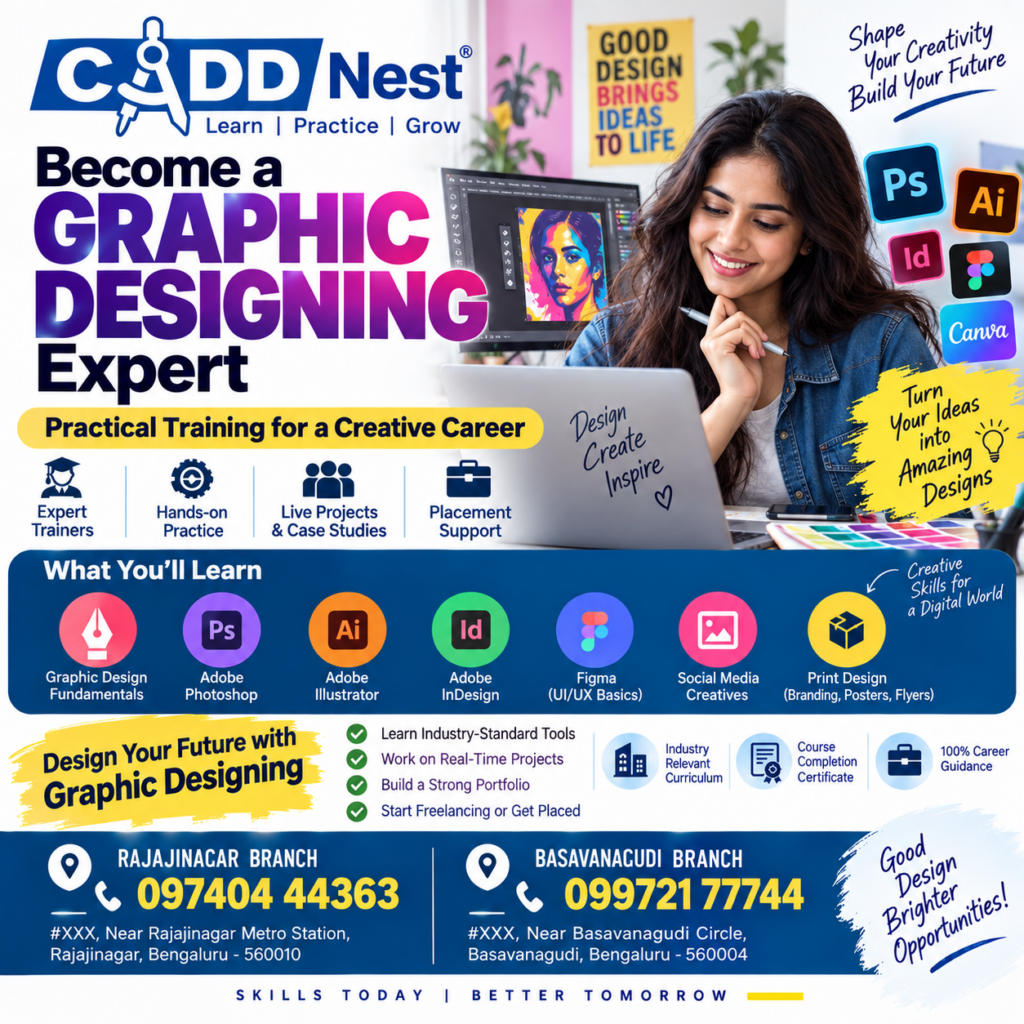
CADD Nest offers graphic designing training through its Rajajinagar and Basavanagudi branches in Bengaluru, with a curriculum covering graphic design fundamentals, Adobe Photoshop, Adobe Illustrator, Adobe InDesign, Figma UI/UX basics, social media creatives, and print design.
The training approach highlighted in the program includes expert trainers, hands-on practice, live projects and case studies, and placement support, helping learners connect their classroom knowledge with practical design work.
What Is Graphic Designing?
Graphic designing is the process of communicating ideas and information through visual elements.
A graphic designer combines elements such as:
- Typography
- Colours
- Images
- Illustrations
- Shapes
- Layouts
- Icons
- Visual effects
- Branding elements
The objective is not simply to make something look attractive. Good graphic design should communicate a message clearly and create an appropriate visual experience for the intended audience.
For example, a restaurant advertisement needs to communicate differently from a corporate annual report. A social media post may need to capture attention within seconds, while a brochure may require more detailed information and structured layouts.
This is why professional graphic design involves both creative thinking and technical skills.
Why Learn Graphic Designing?
Graphic designing can be useful for people interested in creative careers, digital marketing, branding, advertising, social media, UI/UX, publishing, and content creation.
One major advantage of learning graphic design is that the skill can be applied across multiple industries.
A designer may work on:
- Social media posts
- Digital advertisements
- Logos and branding
- Posters
- Brochures
- Flyers
- Business cards
- Packaging
- Presentations
- Website graphics
- Marketing campaigns
- Print materials
- UI design concepts
Learning graphic design can therefore open the door to different types of creative work.
Graphic Designing Is More Than Learning Software
A common misconception is that graphic designing means learning Photoshop or Illustrator alone.
Software is an important part of the profession, but it is only one component.
A designer also needs to understand:
Colour Theory
Colours can influence the mood and visual identity of a design. Designers need to understand colour combinations, contrast, harmony, and appropriate colour selection.
Typography
Typography involves selecting and arranging fonts to make written information visually effective and readable.
Composition
Composition determines how different elements are positioned within a design. A strong composition helps guide the viewer’s attention.
Visual Hierarchy
A design usually contains information with different levels of importance. Headlines, subheadings, images, and supporting information should be arranged so viewers understand the message easily.
Branding
Designers often work with brand colours, logos, typography, imagery, and visual guidelines to create consistent communication.
Creativity
Technical skills can help you operate software, but creativity helps you develop original concepts and visual solutions.
A comprehensive graphic designing course should therefore combine design fundamentals with practical software training.
Graphic Designing Training at CADD Nest
The graphic designing program at CADD Nest is structured around both creative fundamentals and practical tools.
The course highlighted in the training material covers:
- Graphic Design Fundamentals
- Adobe Photoshop
- Adobe Illustrator
- Adobe InDesign
- Figma and UI/UX basics
- Social Media Creatives
- Print Design
- Branding
- Posters
- Flyers
The program also emphasizes practical learning through hands-on activities and project-based work.
Graphic Design Fundamentals
Before moving into advanced software techniques, understanding the fundamentals of design is important.
Graphic design fundamentals introduce learners to the principles that influence how a design looks and communicates.
Important concepts include:
- Balance
- Contrast
- Alignment
- Proportion
- Repetition
- White space
- Visual hierarchy
- Colour
- Typography
- Composition
These principles can be applied regardless of which software you use.
For example, you could know every Photoshop tool but still create a confusing poster if the typography, spacing, alignment, and hierarchy are poorly planned.
Learning fundamentals first provides a stronger base for developing design skills.
Adobe Photoshop Training
Adobe Photoshop is one of the most widely recognized tools in the digital design industry.
Photoshop is commonly associated with image editing, photo manipulation, digital artwork, and visual composition.
During Photoshop training, learners can explore areas such as:
- Image editing
- Layer management
- Selection tools
- Masking
- Colour correction
- Image manipulation
- Retouching
- Digital compositions
- Typography
- Social media graphics
- Advertisement designs
Photoshop can be particularly useful for designers working with photographs and digital marketing content.
For example, a designer creating an Instagram advertisement may need to combine product photographs, background elements, text, icons, and branding elements into one composition.
Understanding Photoshop can help learners approach such projects more systematically.
Adobe Illustrator Training
Adobe Illustrator is a vector-based design tool that is widely used for creating scalable graphics.
Vector graphics are useful because they can be resized without losing the same type of quality associated with raster images.
Illustrator can be used for projects such as:
- Logos
- Icons
- Illustrations
- Typography-based designs
- Brand elements
- Infographics
- Marketing graphics
- Vector artwork
Learning Illustrator can help designers create clean and scalable visual assets.
For example, a logo may need to appear on a small business card as well as a large outdoor banner. Creating it using appropriate vector workflows makes it easier to adapt the design for different applications.
Adobe InDesign Training
Adobe InDesign is particularly useful for page-layout and publishing-related design.
Designers may use InDesign for:
- Brochures
- Magazines
- Catalogues
- Books
- Reports
- Company profiles
- Flyers
- Multi-page documents
Unlike a single social media graphic, a brochure or magazine requires consistent page structure, typography, spacing, and visual hierarchy across multiple pages.
Learning InDesign can therefore introduce learners to professional page-layout workflows.
Figma and UI/UX Basics
The graphic designing curriculum also includes Figma and UI/UX basics.
Figma is widely used for interface design and collaborative design workflows.
UI stands for User Interface, while UX refers to User Experience.
UI design focuses on the visual and interactive elements users see and interact with. UX involves thinking about how users experience and navigate a product or interface.
For someone learning graphic design, an introduction to UI/UX can expand their understanding beyond traditional posters and print materials.
Learners can explore concepts such as:
- Interface layouts
- Typography for digital interfaces
- Buttons
- Cards
- Navigation
- Colour systems
- Basic wireframes
- User flow concepts
- Digital design principles
This can be particularly useful for designers interested in expanding toward digital product design.
Social Media Creative Design
Social media has transformed the way businesses communicate with customers.
Businesses regularly require creative content for platforms such as Instagram, Facebook, LinkedIn, YouTube, and other digital channels.
Social media design requires a different approach from traditional print design because the content needs to work effectively on digital screens and compete for attention within fast-moving feeds.
A designer may create:
- Instagram posts
- Stories
- Reels covers
- Promotional graphics
- Festival creatives
- Product advertisements
- Educational posts
- Brand announcements
- Campaign graphics
Training in social media creatives can help learners understand how to adapt graphic design principles to digital marketing requirements.
Print Design: Posters, Branding and Flyers
Despite the growth of digital marketing, print design continues to be relevant for many businesses and organizations.
Printed materials can include:
- Posters
- Flyers
- Brochures
- Business cards
- Banners
- Invitations
- Product packaging
- Promotional materials
Print design requires attention to details such as dimensions, layout, typography, image quality, and print requirements.
A designer working on a flyer, for example, needs to consider the physical size of the material and how the information will be viewed by someone holding the printed piece.
Understanding both digital and print design can give learners a broader creative foundation.
Why Hands-On Practice Matters
One of the important elements highlighted in the CADD Nest graphic designing program is hands-on practice.
Design is a skill that improves through repeated application.
Reading about typography is different from actually creating a poster using different typefaces. Understanding colour theory is different from selecting a colour palette for a real brand.
Practical assignments allow learners to:
- Understand the design brief.
- Research visual references.
- Develop an initial concept.
- Create the design.
- Review the layout.
- Make improvements.
- Prepare the final design.
This process helps learners understand how professional design work develops from an idea into a finished creative.
Live Projects and Case Studies
Another important aspect of the training is exposure to live projects and case studies.
Projects can help learners understand the difference between designing something simply for practice and designing according to a specific communication objective.
For example, a project might require a learner to create a social media campaign for a fictional business.
The learner would need to think about:
- Target audience
- Brand identity
- Message
- Colours
- Typography
- Image selection
- Content hierarchy
- Platform dimensions
- Call-to-action placement
Working through such scenarios can help develop problem-solving skills alongside software knowledge.
Building a Graphic Design Portfolio
A portfolio is one of the most important ways for a designer to demonstrate their abilities.
Instead of simply saying that you know Photoshop or Illustrator, a portfolio allows potential clients or employers to see what you can actually create.
A beginner portfolio could include:
- Logo concepts
- Social media posts
- Posters
- Flyers
- Branding projects
- Photo manipulation
- Illustrations
- Brochure layouts
- UI concepts
- Advertisement creatives
The objective should not be to include as many designs as possible.
A stronger portfolio generally focuses on relevant, well-presented work that demonstrates different skills.
As learners complete projects during training, they can use suitable work to gradually build a professional portfolio.
Graphic Design and Freelancing
Graphic designing can also be useful for people interested in freelancing.
Freelancers may work with businesses, agencies, entrepreneurs, content creators, or individuals who require visual content.
Potential freelance services can include:
- Logo design
- Social media design
- Poster design
- Brochure design
- Presentation design
- Branding
- YouTube thumbnails
- Advertisement creatives
- Digital banners
- Print materials
However, freelancing involves more than design skills.
A freelancer also needs to understand:
- Client communication
- Project requirements
- Deadlines
- Pricing
- Revisions
- File formats
- Portfolio presentation
- Professional communication
Graphic design training can provide the technical foundation, while practical experience helps develop the professional skills required to work with clients.
Career Opportunities in Graphic Designing
Graphic design skills can be relevant to different creative roles.
Depending on their education, portfolio, experience, and specialization, learners can explore roles such as:
- Graphic Designer
- Junior Graphic Designer
- Visual Designer
- Social Media Designer
- Brand Designer
- Print Designer
- Creative Designer
- Marketing Designer
- UI Design Trainee
- Freelance Graphic Designer
Job titles and responsibilities vary between companies.
Some organizations may expect designers to focus primarily on social media content, while others may require branding, print design, presentations, or digital interfaces.
This is why developing a broad foundation can be useful during the early stages of a design career.
Who Can Learn Graphic Designing?
Graphic design is not restricted to one educational background.
Students
Students interested in creative fields can begin learning design alongside their academic studies.
Graduates
Graduates can add graphic design to their existing qualifications and explore creative or marketing-related roles.
Digital Marketing Professionals
Digital marketing and graphic design complement each other. Digital marketers often need visual content for campaigns, advertisements, websites, and social media.
Entrepreneurs
Business owners can benefit from understanding design principles when managing their brand’s visual communication.
Freelancers
People interested in starting freelance creative services can develop design skills and gradually build a portfolio.
Working Professionals
Professionals looking to move into a creative role can consider graphic design training as part of their skill-development journey.
Graphic Design and Digital Marketing
Graphic design has a strong connection with digital marketing.
A digital marketing campaign may involve:
Strategy → Content → Design → Advertising → Audience → Analysis
Visual content is often one part of this process.
For example, a social media marketing campaign may require:
- Promotional posters
- Story creatives
- Carousel designs
- Advertisement graphics
- Infographics
- Reels covers
- Brand templates
A person who understands both digital marketing and graphic design can better understand how visual content supports marketing communication.
This makes graphic design a useful complementary skill for digital marketing professionals.
How to Choose a Graphic Designing Course
Before enrolling in a graphic designing course, students should evaluate the curriculum carefully.
1. Check the Software
Find out which tools are included in the course. Photoshop, Illustrator, InDesign, and Figma can serve different purposes.
2. Look for Design Fundamentals
A course should ideally cover principles such as typography, colour, composition, hierarchy, and branding rather than focusing only on software tools.
3. Ask About Practical Training
Regular assignments and hands-on practice can be important for developing design skills.
4. Review Project Opportunities
Projects and case studies can help learners build experience and portfolio material.
5. Understand Career Support
If a training centre offers placement or career support, ask what exactly is included and what outcomes are realistically covered.
6. Consider Portfolio Development
A course should give learners opportunities to create work that can eventually become part of a portfolio.
Why Choose CADD Nest for Graphic Designing Training?
CADD Nest’s graphic designing program combines creative fundamentals with practical software exposure.
The course highlighted in the program includes:
- Graphic Design Fundamentals
- Adobe Photoshop
- Adobe Illustrator
- Adobe InDesign
- Figma and UI/UX Basics
- Social Media Creatives
- Print Design
- Branding
- Posters
- Flyers
The training also emphasizes:
- Expert trainers
- Hands-on practice
- Live projects and case studies
- Industry-standard tools
- Real-time project experience
- Portfolio development
- Freelancing or placement-oriented guidance
- Course completion certification
The objective is to help learners develop practical creative skills rather than limiting their learning to theoretical concepts.
Graphic Designing Training in Rajajinagar and Basavanagudi
For learners located in Bengaluru, accessibility can be an important factor when selecting a training centre.
CADD Nest offers graphic designing training through its Rajajinagar and Basavanagudi branches.
Rajajinagar Branch
CADD Nest Rajajinagar
📞 097404 44363
Basavanagudi Branch
CADD Nest Basavanagudi
📞 099721 77744
Learners can contact the respective branch to enquire about the current course schedule, curriculum, fees, batches, and admission process.
Frequently Asked Questions
Is graphic designing a good skill to learn?
Graphic design can be a useful professional skill for people interested in visual communication, branding, advertising, digital marketing, social media, publishing, and creative services.
Can beginners learn graphic designing?
Yes. Beginners can start with design fundamentals and gradually learn software such as Photoshop, Illustrator, InDesign, and Figma.
Do I need to know drawing to become a graphic designer?
Not necessarily. Drawing ability can be useful for certain areas of design, but graphic design involves many other skills, including typography, layout, composition, branding, image editing, and digital tools.
Which software is important for graphic designing?
The appropriate software depends on the type of work. Photoshop is commonly associated with image editing, Illustrator with vector graphics, InDesign with page layouts, and Figma with digital interface design.
Can graphic designing be used for freelancing?
Yes. Graphic designers can offer services such as social media creatives, branding, posters, flyers, presentations, thumbnails, and other visual design services to clients.
Is a portfolio important for a graphic designer?
Yes. A portfolio allows employers and clients to see examples of your actual work and understand your design capabilities.
Can digital marketing professionals learn graphic designing?
Absolutely. Graphic design and digital marketing often work together, particularly in social media marketing, online advertising, content creation, and branding.
Conclusion
Graphic designing combines creativity, communication, technology, and visual problem-solving. Learning professional design tools is an important part of the process, but understanding design principles and gaining practical experience are equally important.
A structured course covering graphic design fundamentals, Photoshop, Illustrator, InDesign, Figma, social media creatives, branding, posters, flyers, and print design can help learners build a broad foundation.
Practical training, live projects, case studies, and portfolio development can further help students understand how design works in real-world situations.
For students, graduates, digital marketing professionals, aspiring freelancers, and anyone interested in creative careers, developing graphic design skills can be a meaningful addition to their professional toolkit.
CADD Nest Rajajinagar and Basavanagudi provide graphic designing training focused on practical learning and industry-relevant design tools.
Start building your creative skills today.
CADD Nest – Rajajinagar: 097404 44363
CADD Nest – Basavanagudi: 099721 77744
Learn | Practice | Grow
Skills Today | Better Tomorrow